New Stage hunks and review code inline

The git graph,
grown in Rust.

Kelp is a fast, native git client for macOS. A commit graph you can read at a glance, real avatars, staging, worktrees and review comments. No Electron, and 0% CPU when you're not using it.

$brew install hobo-ware/tap/kelp
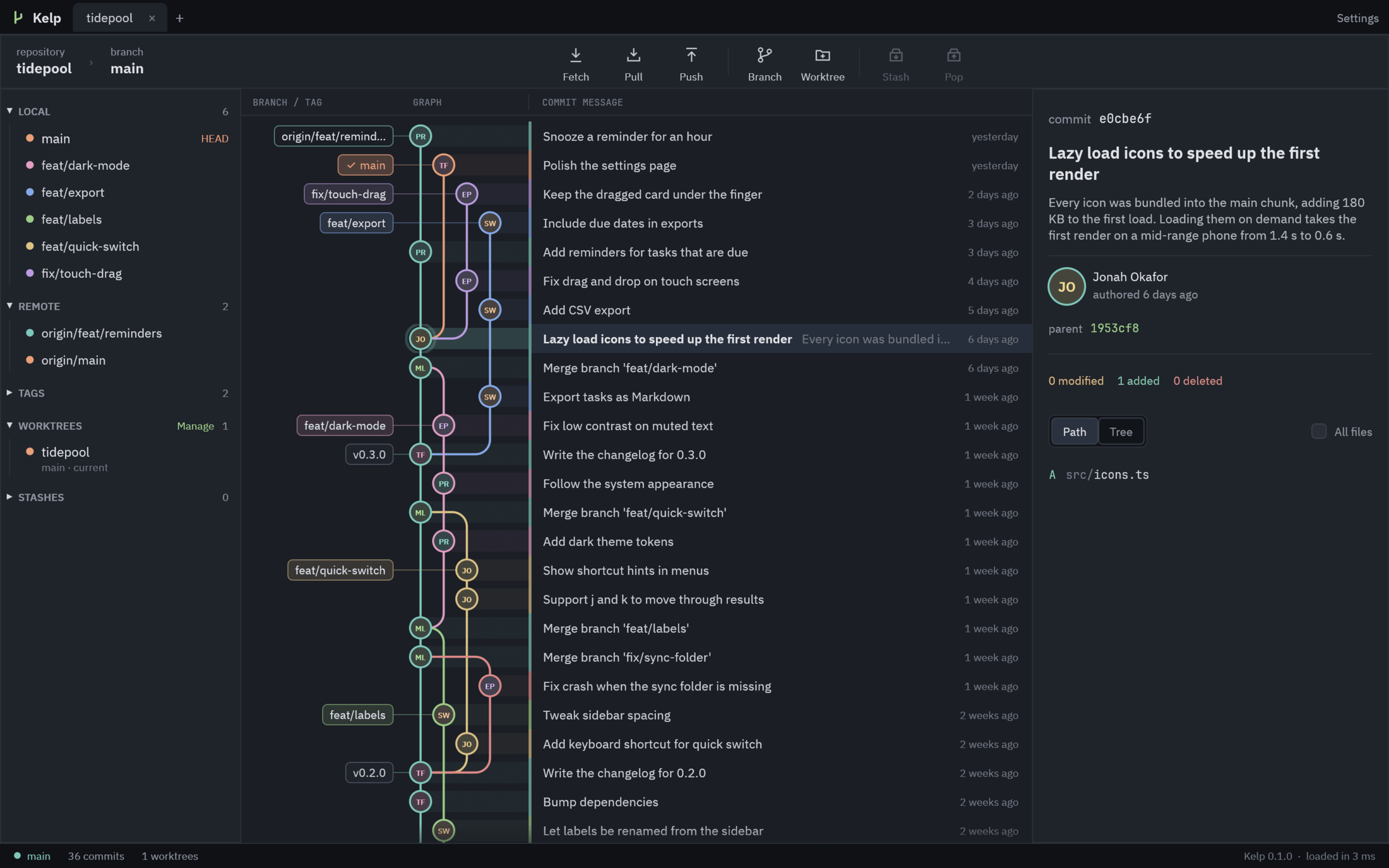
Kelp showing a project's commit graph: colored lanes for feature branches with rounded merges, author avatars, branch and tag labels and the details of a selected commit

Features

Everything you reach for, nothing you don't.

Kelp covers the daily loop - read history, branch, stage, commit, review - and stays out of the way the rest of the time.

A graph that reads like a map

Straight lanes, round corners, rows tinted in their branch color. Scroll through 86k commits without a hitch.

Real faces

GitHub avatars first, then Gravatar, then tidy generated initials. Cached, fetched only for what's on screen.

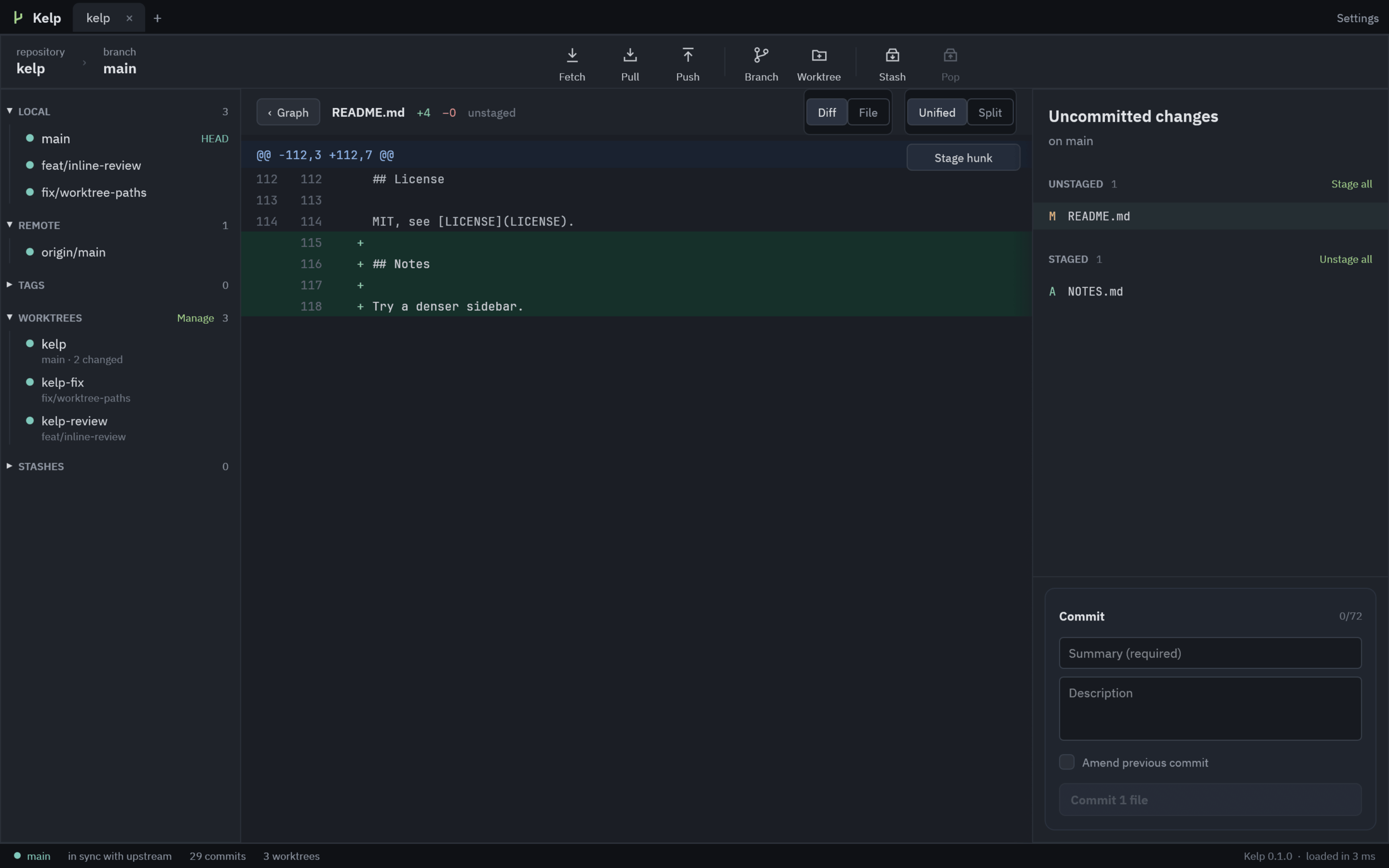
Stage hunks, not just files

Unstaged and staged side by side, stage or unstage a single hunk, commit or amend with your hooks intact.

Review inline

Comment on any line of a diff. Threads follow their line as code changes, never get pushed, and copy out as Markdown.

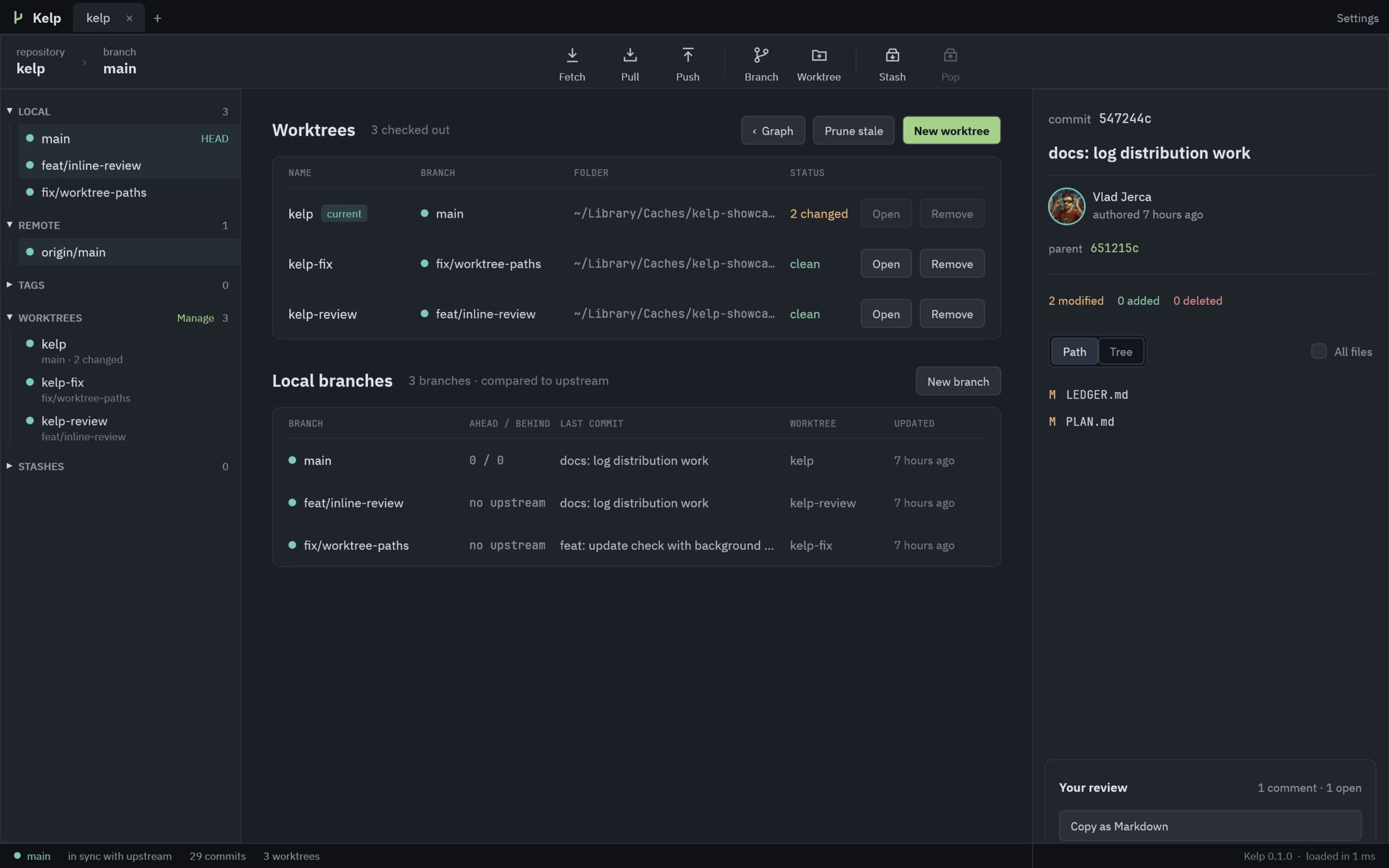
Worktrees, first class

See every worktree, its branch and what's changed. Create one from any branch or commit and open it in a new tab.

Branches in two clicks

Check out, create, rename, merge, rebase, push and pull from a right-click. Every action shows the exact git command.

Search everything

Cmd+F across messages, authors, emails and hashes. Matches light up, the rest fades back.

Updates itself

Installed with Homebrew, Kelp picks up new releases in the background and asks you to restart when it's ready.

Always current

Commit from the terminal or let a teammate push: the graph updates on its own, with a quiet background fetch every few minutes.

Review code where you read it.

Hover a line, press +, write. Replies, resolve, and a review you can paste straight into a pull request.

  • Unified or split diffs, or the whole file
  • Comments stay in .git/kelp, never pushed
  • Anchored to the code, not a line number
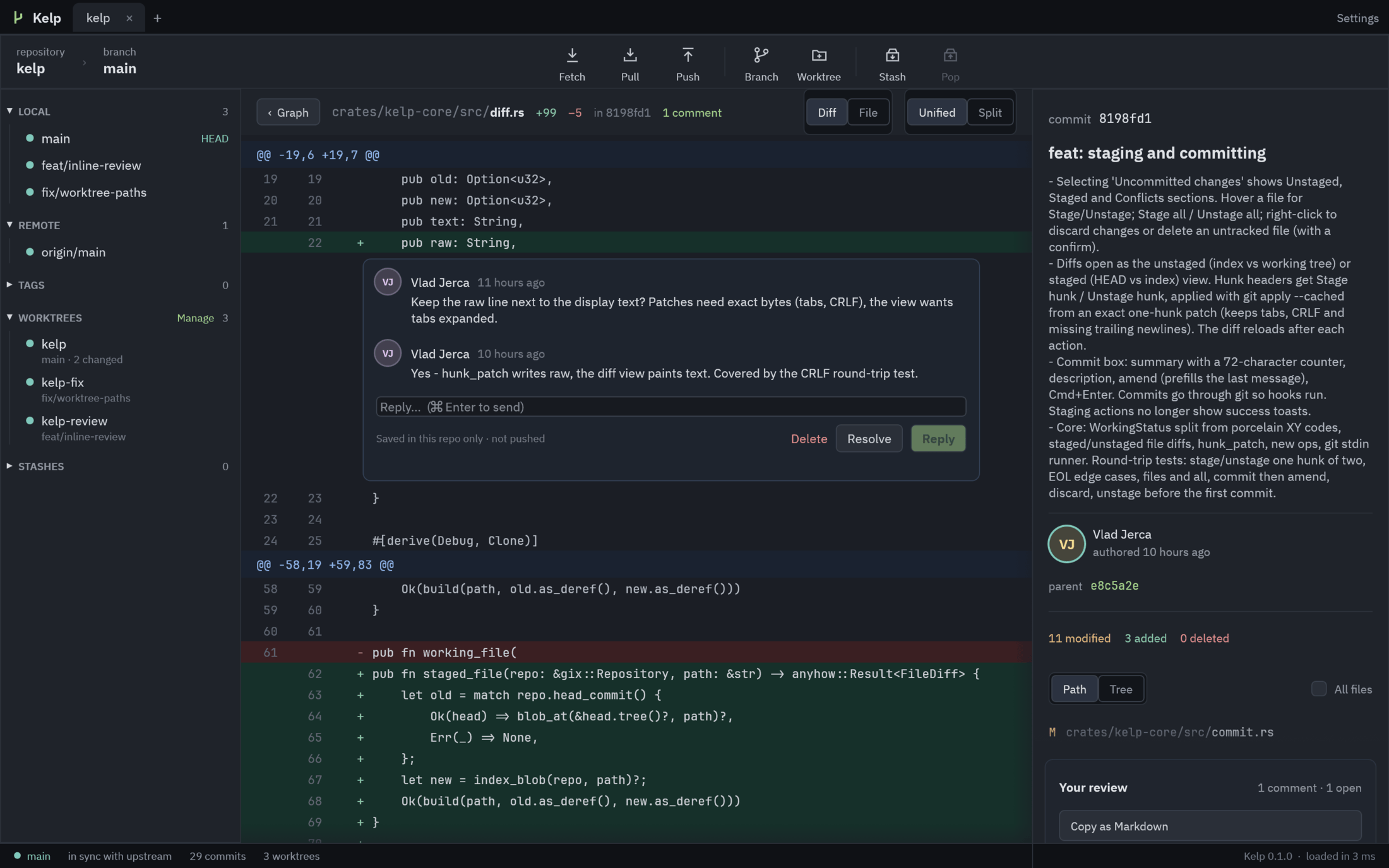
A Rust diff in Kelp with an inline review thread

Stage exactly what you mean.

Pick files or single hunks, write the message, press Cmd+Enter. Commits go through git, so your hooks and signing just work.

  • Stage or unstage hunks, even with CRLF or no trailing newline
  • Amend with the last message filled in
  • Discard with a confirm, never by accident
Kelp's staging panel with unstaged and staged files and a commit box

All your worktrees, one glance.

Which branch lives where, what's changed, what's ahead or behind. Open any of them in a new tab or a terminal.

  • New worktree from any branch or commit
  • Remove and prune without the flags
  • Tabs remember where you left off
Kelp's worktrees page listing worktrees and local branches

Speed

Fast is a feature. So is quiet.

Kelp reads history with gitoxide, lays out the graph in one pass, and draws only the rows you can see. When nothing is happening, it does nothing.

~150 msto open git/git's 86,000 commits
<1 msto draw a frame while scrolling
0%CPU when idle
14 msto lay out a million commits

Measured on an Apple silicon Mac, release build. Full numbers in the ledger.

Install

Three steps. The last one is optional.

01

Install

Puts Kelp in /Applications and the kelp command on your PATH.

$ brew install hobo-ware/tap/kelp
02

Open a repo

From the app, or straight from a terminal. Kelp reopens your tabs next time.

$ kelp ~/code/my-repo
03

Forget about updates

New releases install in the background. You'll see a restart button when one is ready.

$ brew upgrade kelp  # if you like doing it yourself

Grow a calmer git workflow.

$brew install hobo-ware/tap/kelp